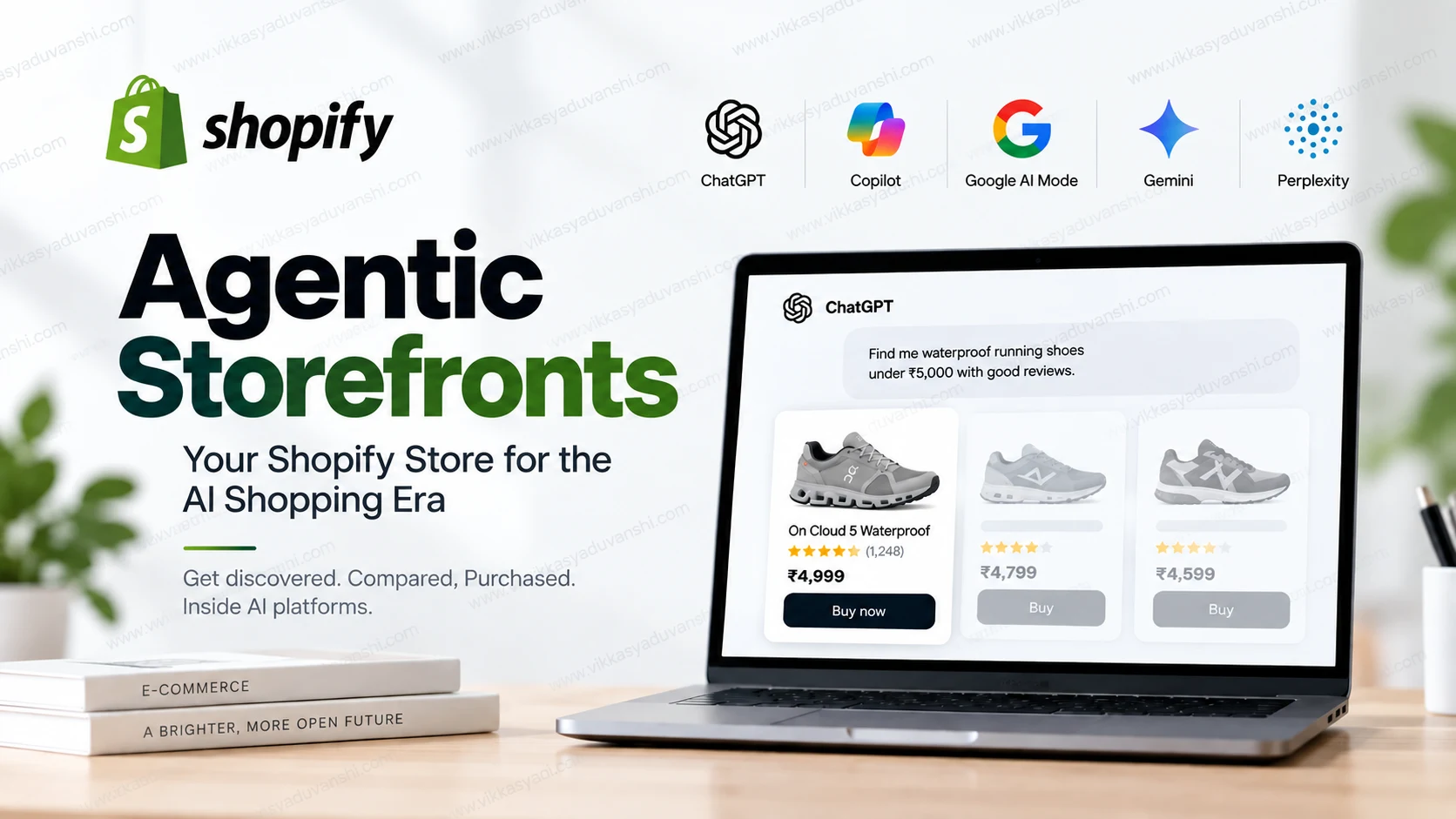
Quick answer: Shopify activated Agentic Storefronts by default for eligible merchants on March 24, 2026, making products from roughly 5.6 million stores discoverable inside ChatGPT, Microsoft Copilot, Google AI Mode, the Gemini app, and Perplexity. Checkout runs through the Universal Commerce Protocol (UCP), an open standard Shopify co-built with Google. You don’t need a new app to be included — but you do need clean, complete product data to actually get recommended. This guide explains what changed, how each AI channel works, and the exact steps to get your Shopify store ready.
What Is Agentic Commerce?
Agentic commerce is when an AI agent — not the shopper — does the discovering, comparing, and often the buying. Instead of typing “running shoes” into Google and clicking through five tabs, a shopper now asks ChatGPT or Gemini “find me waterproof running shoes under ₹5,000 with good reviews,” and the AI agent queries multiple merchants’ product catalogs, compares the results, and can complete the purchase inside the same conversation.
For D2C brands, this changes who — or what — you’re actually optimizing for. Your product page still matters, but an AI agent reads your structured product data (title, price, materials, availability, reviews) far more than it reads your marketing copy.
What Changed on Shopify: Agentic Storefronts, Explained
When it launched and who has it
Shopify rolled out Agentic Storefronts as part of its Winter ’26 Edition and activated it by default (opt-out, not opt-in) for eligible merchants starting March 24, 2026. If your store uses Shopify Catalog and meets the eligibility criteria, your products can already be showing up in AI shopping results without you having installed anything.
You can check and manage this yourself in Shopify Admin → Settings → Sales Channels → Agentic Storefronts.
Which AI platforms are connected
| Platform | How products appear | Checkout | Setup needed |
|---|---|---|---|
| ChatGPT | Automatic for eligible US merchants using Shopify Catalog | In-app browser, on your own store | None — on by default if eligible |
| Microsoft Copilot | Manual toggle | Native Copilot Checkout via UCP | Enable the channel in Sales Channels |
| Google AI Mode & Gemini app | Manual toggle + Google Merchant Center | Native checkout via UCP | Submit feed to Google Merchant Center |
| Perplexity | Manual toggle | PayPal Instant Buy (not Shopify Checkout) | Enable the channel in Sales Channels |
In every case, orders flow back into your normal Shopify Admin with the AI channel attributed, and you keep ownership of the customer relationship and their data — Shopify and the AI platforms don’t insert themselves as the merchant of record.
The Universal Commerce Protocol (UCP): The Standard Behind It
Most of this only works because of a new open standard called the Universal Commerce Protocol (UCP), which Google announced at NRF 2026 on January 11, 2026, co-developed with Shopify and backed by more than 20 retailers and payment companies including Walmart, Target, Etsy, Mastercard, Stripe, and Visa.
UCP standardizes four steps of an AI-driven purchase so any participating platform can talk to any participating merchant the same way:
- Discovery — the agent reads your structured product catalog
- Capability negotiation — the agent checks what the merchant can actually do (shipping options, return policy, payment methods)
- Checkout — the transaction itself, handled through the merchant’s own payment stack
- Post-purchase handoff — order status, tracking, and returns get passed back to the agent
You don’t need to build anything to use UCP as a Shopify merchant — Shopify implements it for you at the platform level. What you control is the quality of the data UCP reads.
Why This Matters: The Numbers So Far
- AI-driven traffic to Shopify stores grew 8x year-over-year in Q1 2026.
- Orders originating from AI-powered search grew nearly 13x in the same period.
- New buyers who arrive through an AI channel place orders at roughly twice the rate of buyers from other channels.
- Across 2025, AI-driven order volume on Shopify increased 15-fold.
- Separately, McKinsey estimates the broader agentic commerce market could reach $3–5 trillion by 2030.
These are early-adoption numbers off a small base, and Shopify hasn’t published what share of total store revenue AI channels represent yet — so treat the growth rates as a direction, not a guarantee for every store. But the direction is consistent across every metric Shopify has released.
How to Get Your Shopify Store Ready for AI Agents
Being included in Agentic Storefronts is automatic for eligible stores. Being recommended by an AI agent is not — that depends entirely on your data. Here’s the practical checklist:
- Fill every structured product field completely — title, description, price, materials, dimensions, and accurate inventory. Agents don’t infer from photos the way a human shopper does; they read fields.
- Turn on the channels that matter for your audience — Copilot, Google AI Mode/Gemini, and Perplexity all need a manual toggle in Sales Channels, unlike ChatGPT.
- Submit your feed to Google Merchant Center if you want visibility in AI Mode and Gemini — this is a separate step from the Shopify toggle.
- Add or verify ecommerce schema markup (Product, Offer, AggregateRating) on your product pages so both traditional search and AI agents can parse pricing and availability correctly.
- Keep pricing and inventory in sync everywhere — an agent that recommends an out-of-stock or mispriced product creates a bad experience it will learn to avoid repeating for your store.
- Decide where price sits in your positioning. When a shopper doesn’t specify anything else, price is often the deciding factor an agent compares on — so products with thin margins and no differentiation in the data are the easiest for an agent to swap for a competitor.
If your product data and technical SEO are already weak, agentic commerce makes that gap more expensive, not less — a confused agent simply moves to the next merchant’s catalog. This is the same foundation covered in the Shopify SEO checklist for 2026, and it’s worth fixing before turning on every AI channel.
Common Mistakes to Avoid
- Assuming “activated” means “optimized.” Eligibility is automatic; recommendation is earned through data quality.
- Leaving Copilot, Google, and Perplexity switched off because ChatGPT is on by default, and forgetting the others need manual setup.
- Ignoring Google Merchant Center — without a submitted feed, AI Mode and Gemini have nothing to show.
- Treating this as a one-time setup. Inventory, pricing, and product data need to stay accurate on an ongoing basis, the same way they would for Google Shopping.
Frequently Asked Questions
Do I need to install an app for Agentic Storefronts to work?
No. If your store is eligible and already uses Shopify Catalog, ChatGPT visibility is on by default. Copilot, Google AI Mode/Gemini, and Perplexity each need a manual toggle in Sales Channels, but none require a third-party app.
Does Shopify charge extra fees for AI-driven orders?
No additional transaction fees beyond your standard Shopify payment processing rates apply to orders that come through Agentic Storefronts.
Is the Model Context Protocol (MCP) the same thing as UCP?
No. Model Context Protocol (MCP) is a separate, broader standard for connecting AI models to external tools and data sources. The protocol Shopify actually uses for agentic checkout is the Universal Commerce Protocol (UCP), co-developed with Google specifically for product discovery, checkout, and post-purchase handoff between merchants and AI shopping agents.
Will turning on every AI channel guarantee more sales?
No. Being discoverable is a prerequisite, not a result. An agent still has to judge your store as the best match on price, data completeness, and stated capabilities (shipping, returns) against every other eligible merchant it can see.
Can I opt out of Agentic Storefronts?
Yes, eligible merchants who were opted in by default can review and turn off individual AI channels from Settings → Sales Channels → Agentic Storefronts in Shopify Admin.
Next Steps
Agentic commerce doesn’t replace the SEO and store-speed fundamentals that already decide whether Google trusts your store — it adds a second, faster layer on top of them that runs on the same clean product data. If you’re not sure whether your Shopify store’s data, schema, and technical setup are actually ready for AI agents to recommend it, that’s exactly what a Shopify SEO audit is for.
Message me on WhatsApp or get in touch if you want a second opinion on whether your store is actually ready for agentic commerce, or just want the Agentic Storefronts settings walked through.
Leave a Reply